Connect myhidn to Claude
Five clicks. No tokens to copy, no config files to edit.
Works on any Claude plan, including free. Using ChatGPT or another AI? ↓
1
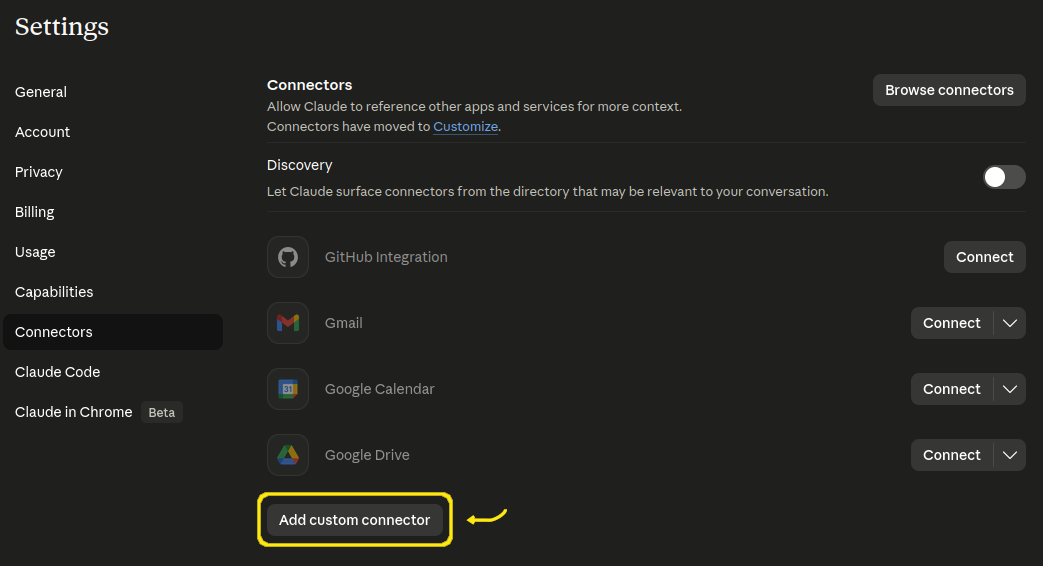
Open Connectors
Go to Settings → Connectors and click Add custom connector.
2
Enter the server URL
Name it myhidn and set the URL to:
https://mcp.myhidn.net/mcp 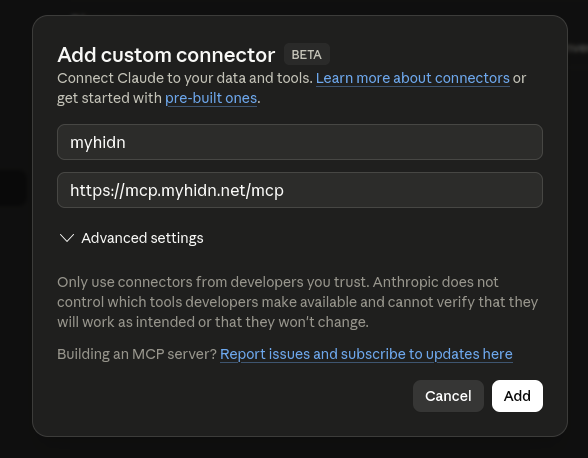
3
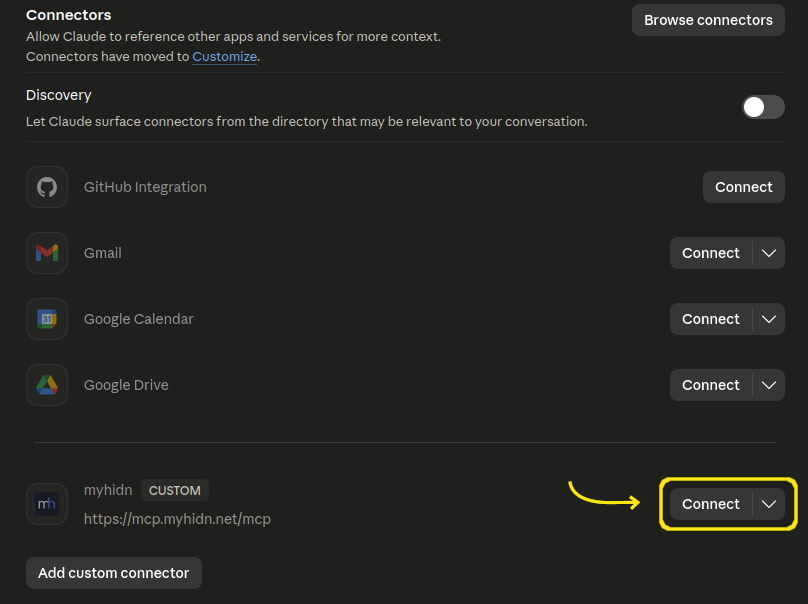
Click Connect
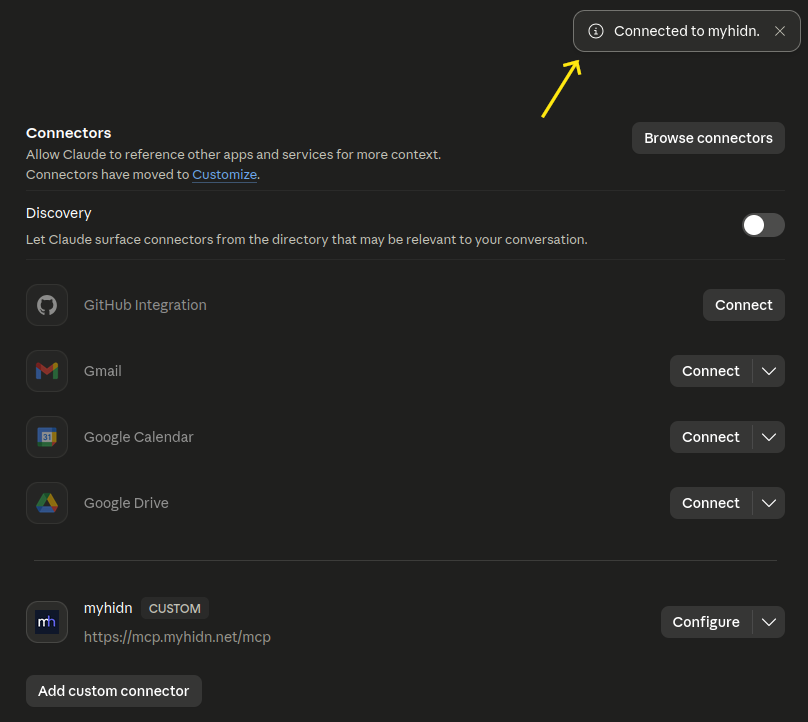
After adding, myhidn appears in your connectors list. Click Connect.
4
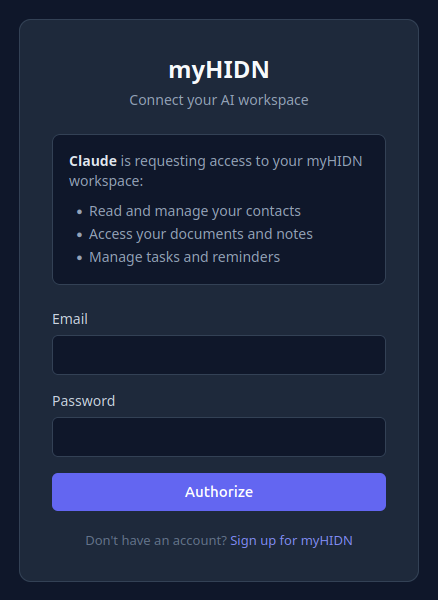
Sign in
Log in with your myhidn account. Don't have one? Sign up free first.
5
Done
You'll see "Connected to myhidn." That's it — Claude can now use your workspace.
What's next?
Start a new conversation in Claude and try: